SIEM Data Parser
Structured parsing and normalization for SIEM ingestion. Scriptable tools to parse, normalize, and route security log and event data into SIEM and data lakes.

CrowdStrike
Executive Summary
Overview
- Product: SIEM Data Parser
- Company: CrowdStrike
- Role: Lead Product Designer
- Timeline: 5 months
- Scope: Tooling to parse, normalize, and route log and event data into SIEM and data lakes
Key Contributions
- Designed the end-to-end parser creation and editing workflow for faster log onboarding
- Simplified complex parsing concepts into a usable, auditable interface for security teams
- Partnered with engineering to support scalable onboarding across many log types
Outcomes
- Onboarded 200+ enterprise customers in the first 6 months, each averaging 24 data connectors and 4 custom parsers
- Reduced time to bring new log sources into the platform from 4–6 weeks to hours, enabling customers to be fully self-service
- Enabled petabytes of daily log data to flow into the SIEM in a format the system could immediately use for threat detection, investigation, and remediation
Context & Problem
Cybersecurity Co.’s customers stream large volumes of third-party security logs into the platform, but each source formats fields differently. Raw events were hard for humans to read, inconsistent for detection content, and expensive to normalize in backend code. Parser logic lived in engineer-owned scripts, so onboarding a new integration or fixing a broken parser meant opening tickets, waiting on deploys, and guessing at production behavior with little visibility into parser health. This work was part of a broader data ingestion system I designed in parallel — including the SIEM Data Connectors UI, which enabled customers to configure and manage their data sources. The parser was designed as a companion tool to that system, giving customers a way to normalize and structure the data flowing through their connectors.
Objectives & Metrics
Enterprise customers needed to bring data from custom in-house applications into the CrowdStrike SIEM, but had no self-service path to do so. Custom integrations required weeks of professional services work and produced inconsistently formatted data that degraded detection quality. The goal was to give customers a first-class toolset to create, test, and manage their own parsers — putting clean, structured data into the platform without engineering involvement.
Results:
- 200+ customers onboarded in the first 6 months
- Average customer created 24 data connectors and 4 custom parsers
- Time to onboard a new log source dropped from 4–6 weeks to hours
- Customers importing petabytes of daily log data, immediately usable for threat detection and response
My Role
Role
Lead Product Designer & User Research
Tools
Figma, FigJam
Timeline
5 months
I owned:
- User research with SOC analysts and detection engineers
- End-to-end parser workflow mapping
- Parser editor UX (script surface, tests, AI assist)
- Parser library and parser details information architecture
- High-fidelity prototypes and interaction design
- Design specifications, QA, and implementation support
I led the project from discovery through launch, partnering closely with PM and staff engineers.
Approach & Key Decisions
Script-Based Editor with Live Testing
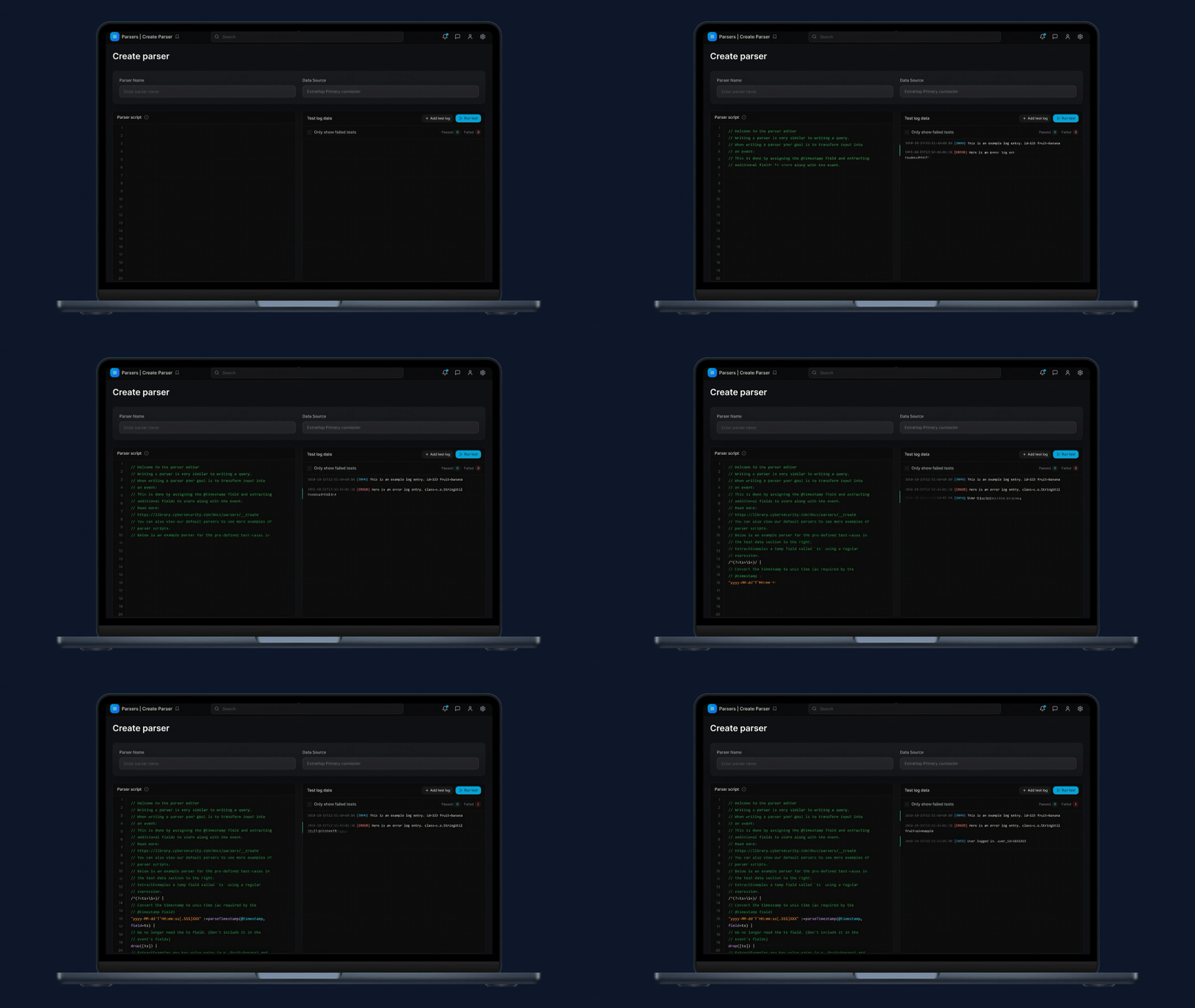
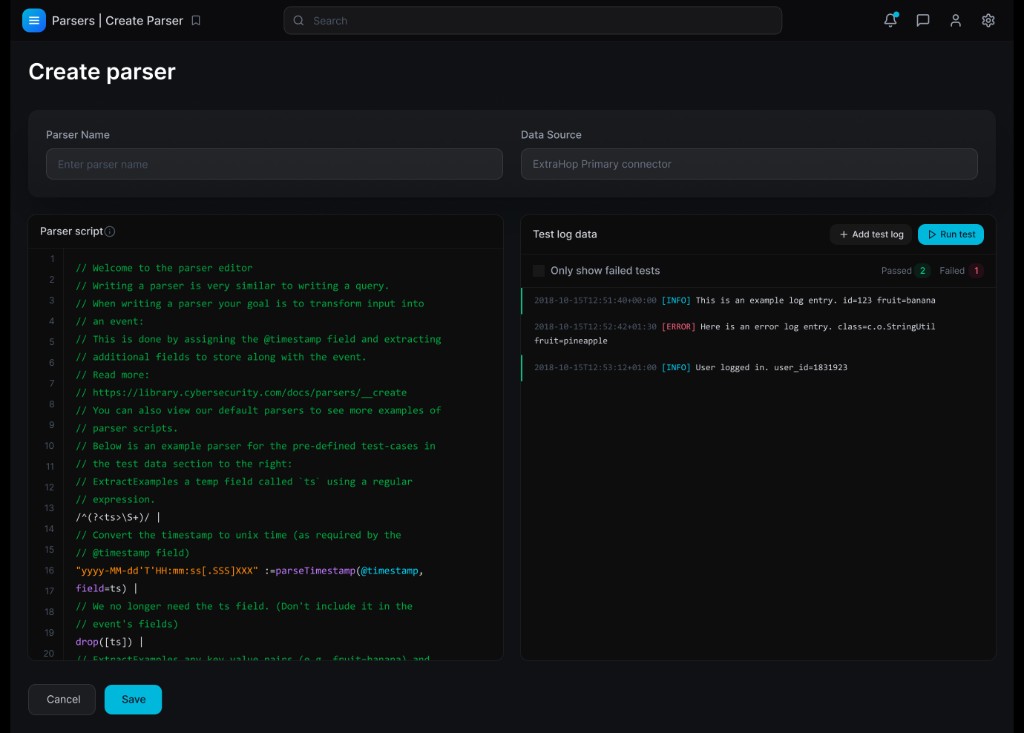
Rather than abstract parsing into a drag-and-drop flow, we leaned into our users’ familiarity with scripting and query languages and designed a script-based editor with live testing.
The editor surfaces the parser script side-by-side with test log data, pass/fail counts, and a run-tests control so users can validate changes against real log samples as they iterate.
Parser Library as a Source of Truth
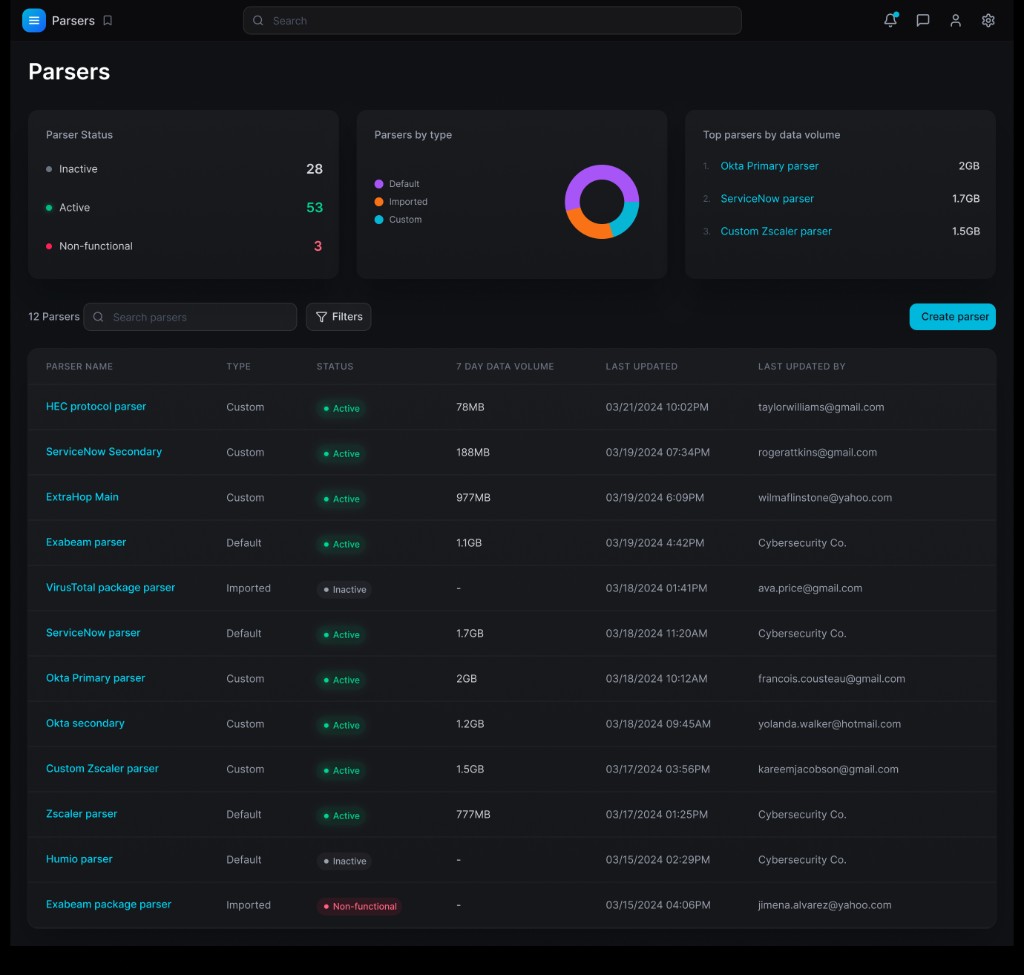
On top of the editor, we introduced a parser library that lists every parser across a tenant – including type (default, imported, custom), health status, 7-day data volume, and last-updated metadata.
Search and filters make it easy to find the parser behind a given integration and quickly understand coverage and impact across the estate.
Parser Details and AI Assist
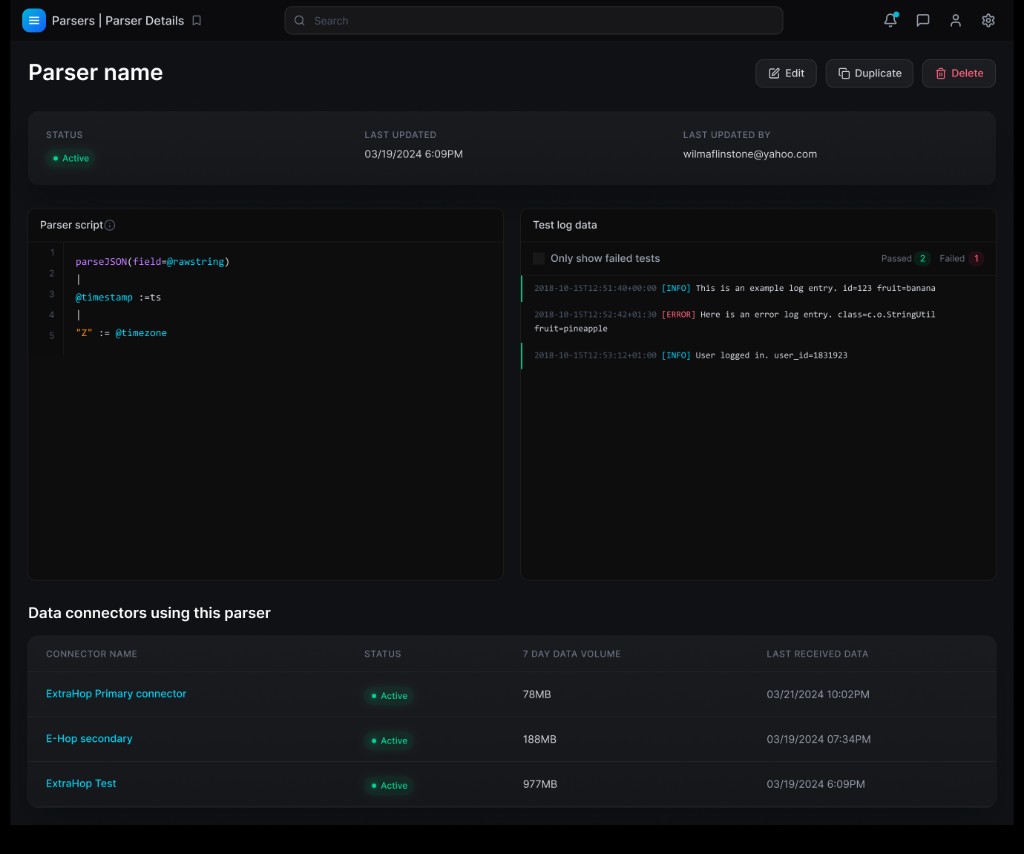
From the library, a parser details view exposes richer context: parser metadata, the script and test logs, plus all data connectors currently using that parser so users can see the blast radius of any change before they edit.
They can then review, tweak, and re-run tests against real sample data, keeping the script as the source of truth while dramatically reducing the time and effort to author new parsers.
Outcomes & Impact
Prior to this tooling, customers could only bring log data into the platform through custom integrations — a process that took 4–6 weeks and required CrowdStrike engineering involvement. The SIEM Data Connectors and Parser Editor changed that entirely.
Customers became self-service. They could connect out-of-the-box partner integrations (ServiceNow, Salesforce, and others), use CrowdStrike-provided parsers to immediately normalize that data, and author custom parsers for proprietary in-house applications — all without opening a support ticket.
In the first 6 months after launch:
- 200+ enterprise customers onboarded to the platform
- Each customer averaged 24 data connectors and 4 custom parsers
- Several petabytes of log data flowing into the SIEM daily
- Time-to-value dropped from 4–6 weeks to hours for new log sources
- Custom parsers enabled the system to derive accurate threat detections, investigations, and remediations from data it previously couldn't interpret
What I'd Do Next
Next, I’d extend the system’s intelligence and observability:
- As a fast follow, add a ‘Generate parser script’ feature where users describe the script they want in natural language and generate it with the press of a button.
- Extend AI assistance beyond generation to include inline explanations of script snippets and suggested field mappings when new fields appear in logs.
- Automatically detect parsing anomalies or drops so teams are alerted when parsers silently fail or degrade.
- Add richer analytics around parser performance over time – error rates, dropped events, and latency – to guide optimization work.
- Explore reusing this editor pattern for other data-transformation tooling in the platform so users have a consistent way to author and test data logic.